
Platform
Everything your governance program needs, on one inventory of your data.
Bayanis catalogs your sources once. Definitions, ownership, classification, quality, privacy, sharing and compliance are all built on that same inventory.
01 Find and understand data
One inventory of every source, with glossary, search and lineage across systems.
- Data CatalogOne inventory of every source, schema, table and column, with owners, stewards, tags, ratings and certification.
- Data model viewDraws a schema's tables and relationships from its keys.
- Business GlossaryAgreed definitions organised by domain, linked to the columns that hold them, with an approval lifecycle.
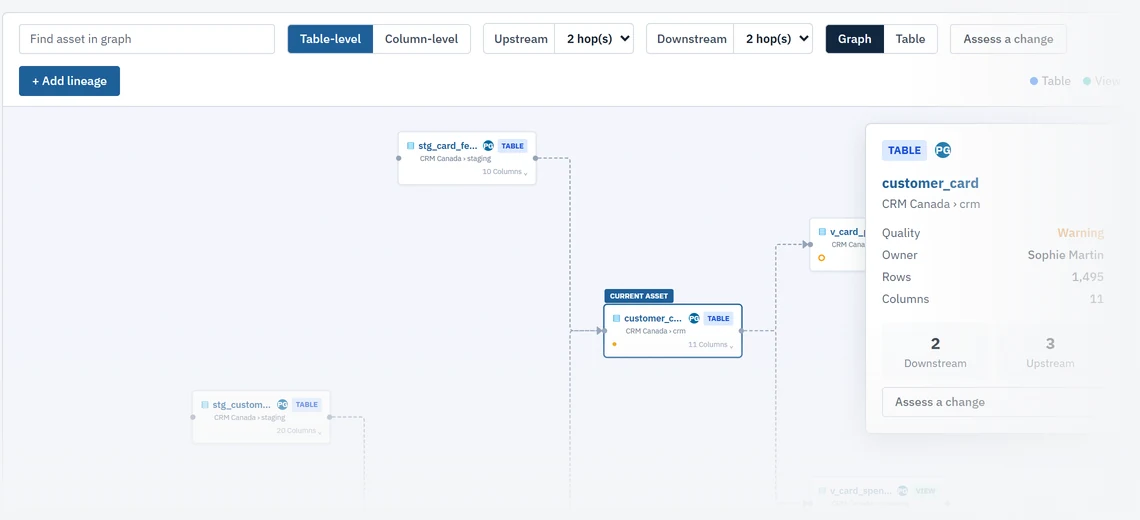
- Data LineageShows what feeds an asset and what it feeds, at table and column level, across systems.
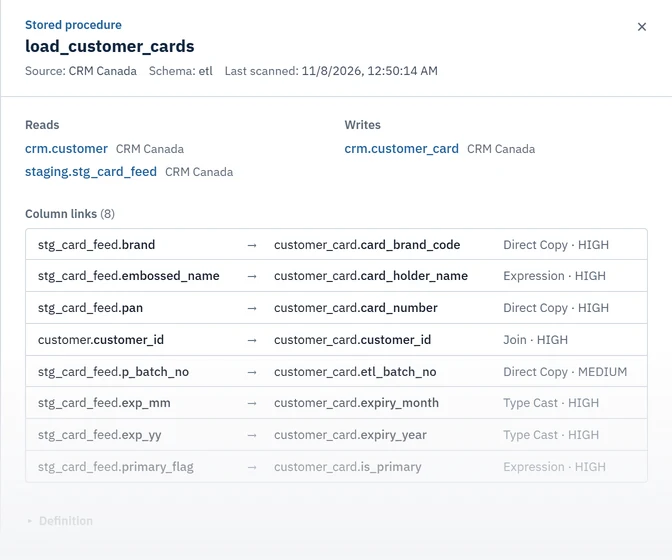
- ProcessesEvery view, procedure, pipeline step and Power BI refresh that moves data, with what it reads and writes.
- Change impactLists every downstream asset affected by a change and asks its owners to review.
- SearchCtrl+K search across assets, columns and terms, with filters and saved searches.
- Custom assets and attributesAdds your own asset types, such as Processing Activity, and your own fields on existing assets.
02 Trust the data
Quality rules, scores and certification you can explain.
Data Quality rules
Eleven rule templates, including not null, pattern, range, unique, freshness, referential check and custom SQL. Rules run in PostgreSQL, SQL Server, Oracle and MySQL.
Identifier checksums
Catches mistyped or invented payment cards, Canadian SINs, Saudi national IDs and IBANs.
Quality scores
Scores per table, per dimension and for critical data elements, with run history and failing examples.
Certification
Separate metadata and data certification on assets, plus certified glossary terms.
03 Protect personal data
Find, classify and mask personal data, and follow it through lineage.
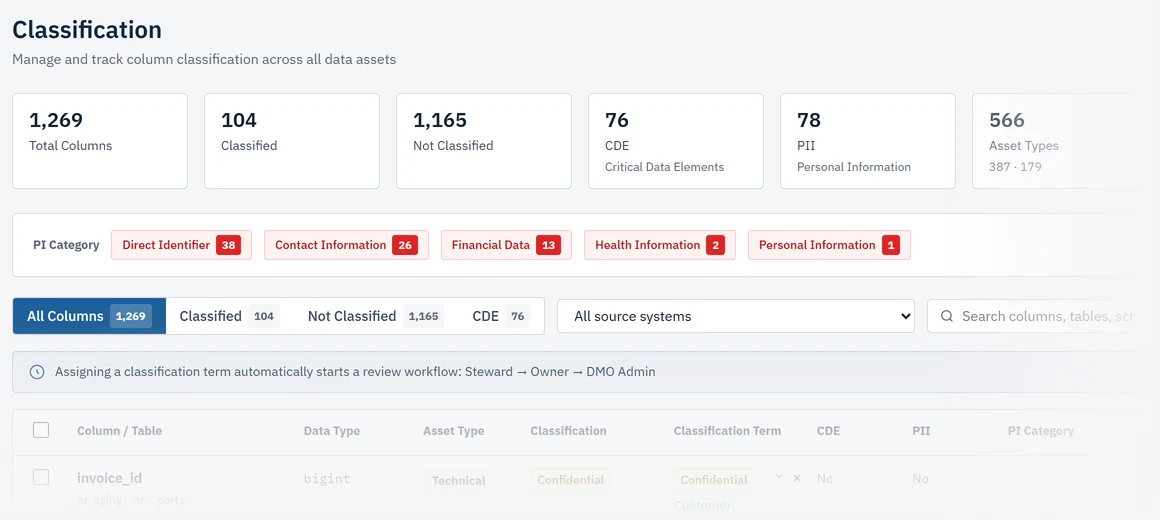
- ClassificationSuggests sensitivity levels and personal data categories for stewards to review, without overwriting their decisions.
- Sensitive data detectionMatches column names and sampled values against patterns such as national ID, IBAN, email and phone, by country. Live samples work on all four databases and on CSV, Excel and JSON files.
- MaskingHides personal data columns in samples by default, with an approved and audited route to clear text.
- Propagation through lineageClassification follows a column to every downstream copy.
- Retention, data subject requests, impact assessments and breachesThe full privacy workflow, described on the Privacy page.
04 Prove compliance
Requirement-level evidence and scoring for any framework.
Compliance assessments track status or maturity level, evidence and an owner for each requirement, with a score and a 12-month trend per framework. Add your own regulations and internal policies, or import them from Excel.

Governance framework
Policies, processes, strategy, operating model, roadmap, standards, training, communication and regulatory documents, plus registers with history.
Reports
Domain reports and scorecards with KPI definitions, exported to PDF and Excel.
Audit log
Records who changed what, background jobs, exports and imports, access to live data, and consent.
06 Work together
Requests, workflows with time limits, and a personal homepage.
Requests
Raises a request on any asset, such as fixing data, granting access or certifying, and routes it to the right person.
Workflows and SLAs
Sets approval stages for each request type, who handles each stage and the time allowed, with follow-up reports.
Homepage
Shows each person what needs their action, their requests, domains, saved searches and followed activity.
Discussions
Keeps questions and threads on assets.
Bulk operations
Exports metadata to Excel, edits it offline and uploads it back in one go.
07 AI under your control
Suggestions a person approves, and an assistant that never shows row values.
AI Enrichment
Suggests descriptions, quality rules and column types, and a person reviews them before they apply.
Ask Bayanis
Answers questions about the catalog and how to use the product, and never shows row-level values.
Choice of model
A managed API, a cloud model in your region, or a self-hosted model inside your network.
Limits
Providers receive metadata, not data values, unless you allow samples. Provider allow-list and daily token budget.
08 Connect, secure and run it
Connectors, single sign-on, encryption, self-hosting.
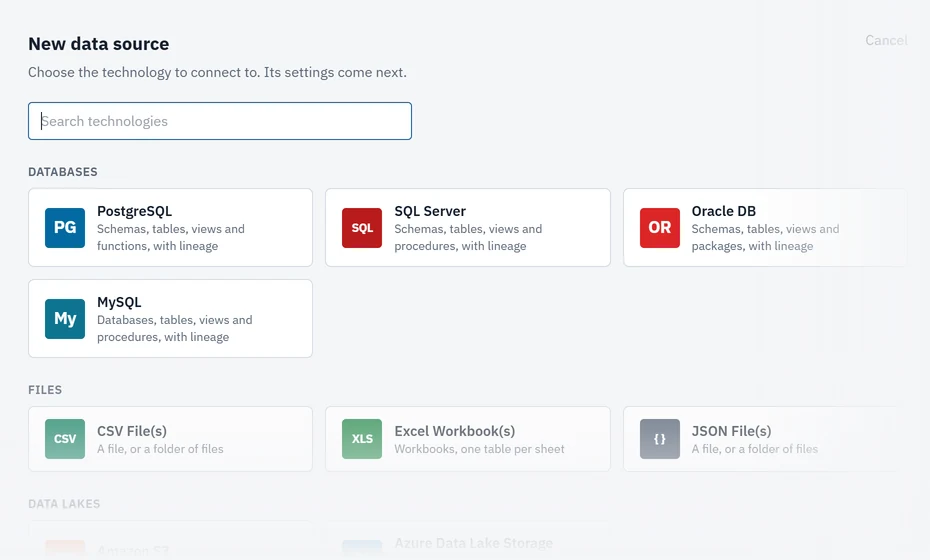
- 16 connectors in 6 groupsDatabases, files, data lakes, business intelligence, data integration and APIs, plus custom connectors built to your needs.
- Sign-in and accessTwo-step verification, LDAP, single sign-on (OpenID Connect), four user roles and access scoped to a source, schema or table.
- SecretsAES-256-GCM encryption, optional HashiCorp Vault and key rotation.
- InstallationDocker on your own server, online or offline package, one-command upgrade and rollback.
Bayanis MDM
One trusted record for your customers, products, suppliers and other core data, governed with the same owners, rules and lineage you already manage in Bayanis. Register your interest to hear first.
See Bayanis with your own questions.
Book a demo and we will walk through the parts that matter to your team, from catalog and quality to privacy and compliance.