
Connectors
Connects to what you run.
Sixteen technologies in six groups, the same groups you see when adding a source in Bayanis. When a system isn't on the list, we build a connector for it.
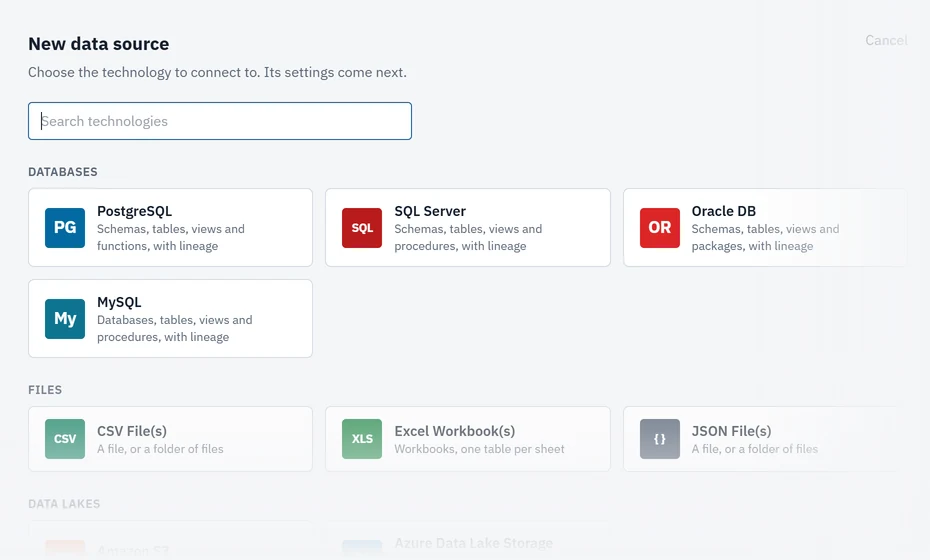
Databases
Structure, column profiles, data quality rules and lineage from views and stored procedures.
Files
A single file or a whole folder, catalogued as tables.
Data lakes
Parquet and Delta tables in a bucket or container.
Business intelligence
Models, reports and dashboards across workspaces, linked back to their sources.
Data integration
Pipelines, data flows and mappings as column-level lineage.
APIs
Endpoints and fields from the service description.
Don't see your system?
We build connectors to fit your environment, whether it's an in-house application, an industry platform or a niche database. Tell us what you run, and we'll scope a connector with you.
No gaps in lineage
Add the lineage scanners can't read.
Lineage that the scanners can't read can be added by hand or imported from Excel, so no system is left out of the picture.
Good to know
- Data quality rulesRun in PostgreSQL, SQL Server, Oracle and MySQL, not on files, data lakes or Power BI. Pattern rules need SQL Server 2025 or MySQL 8.0.
- Live samples and value-based classificationWork on the four databases and on CSV, Excel and JSON files. Data lakes are catalogued by structure.
- Lineage from SQLCovers views and stored procedures on the four databases. Dynamic SQL isn't read.
- InformaticaRead from exported PowerCenter and Cloud Data Integration XML files, not a live connection to Informatica Cloud.
See Bayanis with your own questions.
Book a demo and we will walk through the parts that matter to your team, from catalog and quality to privacy and compliance.